
Route cost calculated, before you answer the customer.
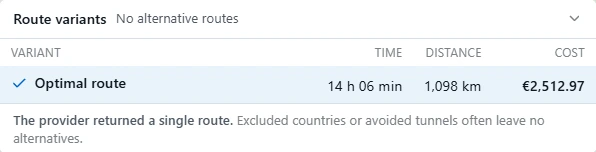
Fuel, tolls by country, tunnel and bridge costs, vehicle cost and your margin at the rate the customer offers. Up to five route variants at once, including the empty run to the pickup.
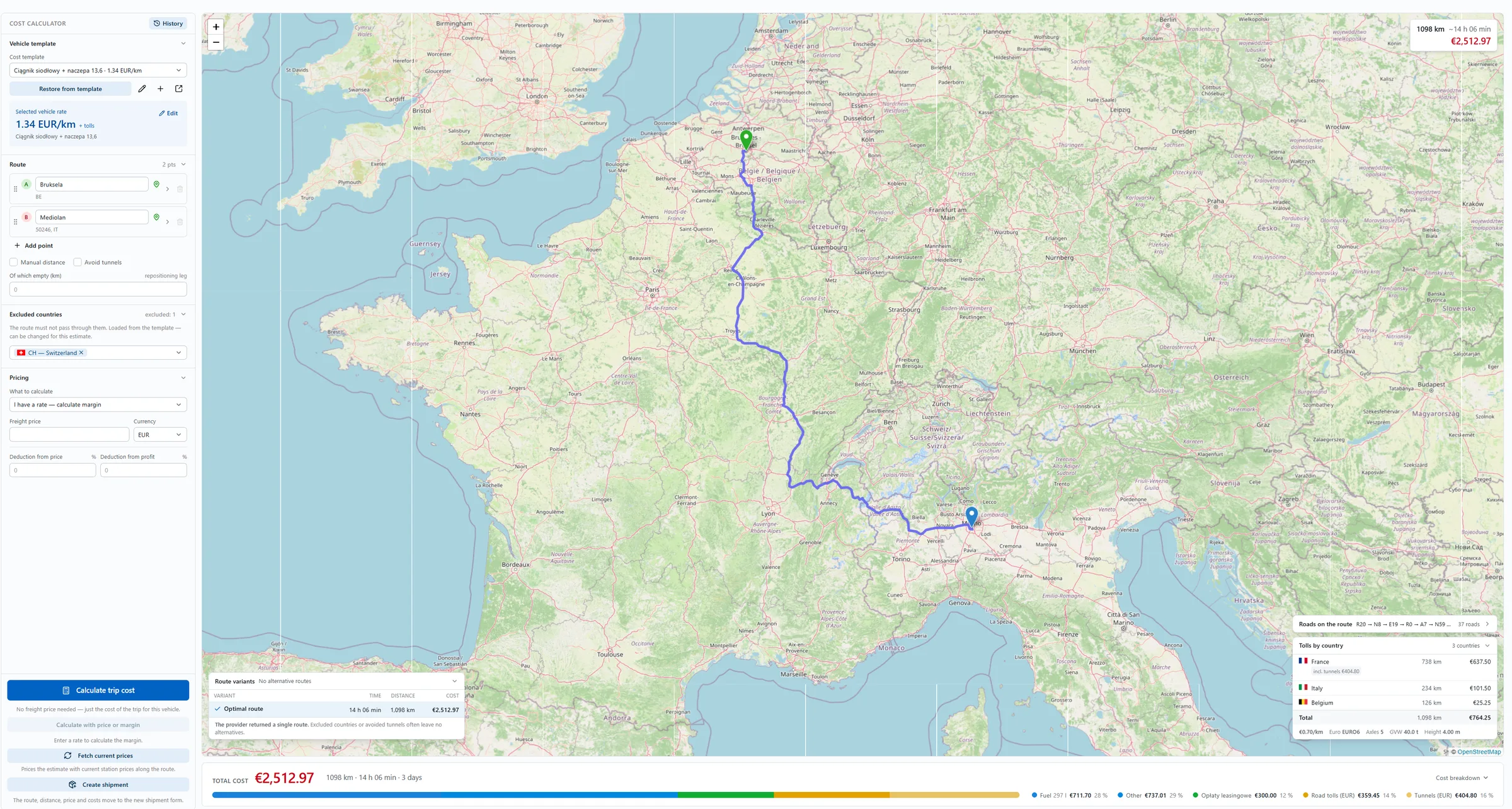
Where this calculator came from.
NaviTMS users pointed out a simple problem. Before they answer a customer's enquiry, they want to know what the route will actually cost them. Until now that often meant working it out in Excel or using extra calculators.
So we added a profitability calculator directly to NaviTMS. You can also use it on its own, without rolling out the whole system.
You build the route your way.
Pick the vehicle cost template, enter the points and click “Calculate trip cost”.
- Vehicle cost template. Each vehicle has a saved rate per kilometre plus tolls, for example a tractor unit with a 13.6 m semi-trailer at 1.34 EUR/km. You can edit the rate for a single estimate and restore it from the template.
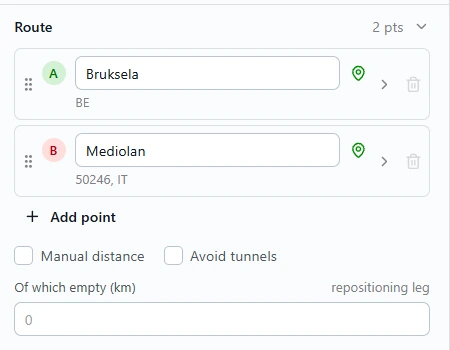
- Route points. A city, a pasted address or coordinates. Add as many waypoints as you need.
- Empty run to the pickup. The empty run can have its own fuel consumption, so the drive to the pickup goes into the calculation too.
- Excluded countries. The route must not pass through them. The list comes from the template and you can change it for this one estimate.
- Avoid tunnels. One checkbox next to the route.
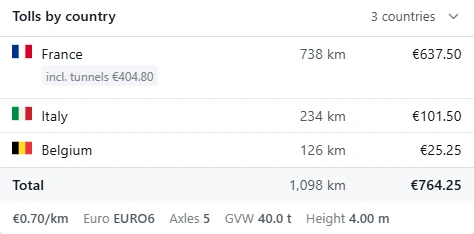
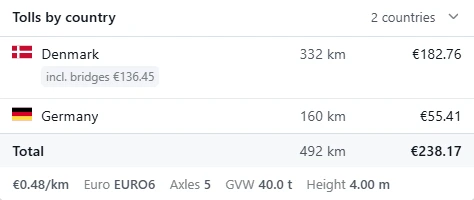
- Costs by country. Tolls plus tunnel and bridge charges, broken down by the countries on the route. You see separately what you pay for crossing each one.
What you see after clicking “Calculate”.



Enter the customer's rate, get the margin.
In the “Pricing” section choose “I have a rate, calculate margin”, then enter the freight price and currency. Optionally add a deduction from price and a deduction from profit, in percent. You see right away what the trip will cost and how much is left at the rate the customer offered.
Estimate history.
Every calculated route stays in the history with the estimate from that day. When the customer comes back with the same enquiry, one click recalculates the route at current trip prices.
One price for the whole company.
We don't count users. The fee is per company and per month, paid in advance.
One payment for the whole year. That works out to €15.30 per month instead of €17.
Order a year- No user limit. The whole company uses one account.
- 1,200 calculations per month. Three people × 20 estimates a day × 20 days.
- Another 1,000 calculations for PLN 50 (€12), when you need more.
Net prices.
Need more calculations? Buy a pack.
1,200 calculations a month is a lot: three dispatchers, each doing 20 estimates a day over 20 working days, and only then does the limit run out. If you calculate more, you buy another pack: 1,000 calculations for PLN 50 or €12.
How paying in advance works.
- You choose the period. A month or a year.
- We activate the account straight away. After you order, we issue a pro forma invoice. Before you pay it you already have access: the first 2 weeks are free, with a limit of 600 calculations.
- You work within 1,200 calculations. That is what three dispatchers use when each prices 20 orders a day for 20 days a month. Once the limit is used up, the calculator stops until you buy a pack.
- You renew whenever you want. One pro forma, for a month or a year. The estimate history stays and you carry on where you left off.
What counts as one calculation
One click of “Calculate”. You enter the route points, click, get the estimate, and that is one calculation. The number of variants you get along the way does not matter.
In NaviTMS a calculation becomes a shipment straight away.
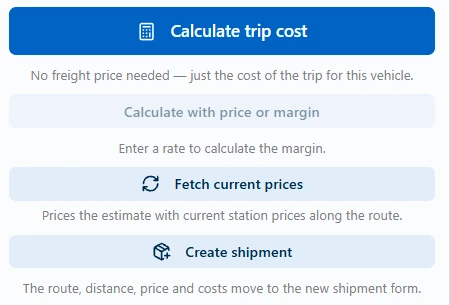
The calculator is part of NaviTMS. When you decide to take the order, you click “Create shipment” straight from the calculation. The route, distance, driving time, price and costs move to the new shipment form by themselves, and the route is already assigned to it.
Calculator on its own
- Vehicle cost templates
- Up to five route variants, excluded countries, avoiding tunnels
- Tolls by country, tunnels and bridges separately
- Margin at the customer's rate
- List of roads to copy for the driver
- No user limit
Calculator in NaviTMS
- Everything from the standalone version
- “Create shipment” from the calculation: route, distance, time, price and costs move to the shipment automatically
- The route from the estimate assigned to the shipment right away
- Orders, fleet, costs, driver payroll, e-invoicing
Before you order.
Order access to the calculator.
Tell us the period and the currency. We activate the account straight away and send a pro forma invoice for payment. The first 2 weeks are free, with a limit of 600 calculations.
- One account for the whole company, no user limit.
- Prefer to see it first? Book a demo.
Calculator order
Once you send it, we activate the account and issue a pro forma invoice.